
AI draft
A first-run tour, drafted from the page
Open your dashboard in AI mode. GuideMark picks up to six steps in reading order, AI writes each one, and you tweak a line before turning the tour on.
AI-drafted tours. Zero setup hassle.
Stop building tours by hand. Open a page and GuideMark scans it, picks up to six steps in reading order, and AI writes a title and text for each. Every tooltip is placed where it fits. Switch on Auto-detect and the tours take your app's colours, font and corners.
With most product tour software, every step is yours to set up: choosing the elements, writing each tooltip, positioning it, styling it, and then doing it all again for the next page. GuideMark does that part: it scans the page and picks up to six steps in reading order, AI writes a title and text for each, and every tooltip is placed where it fits. You review and publish.
 AI drafted
Styling
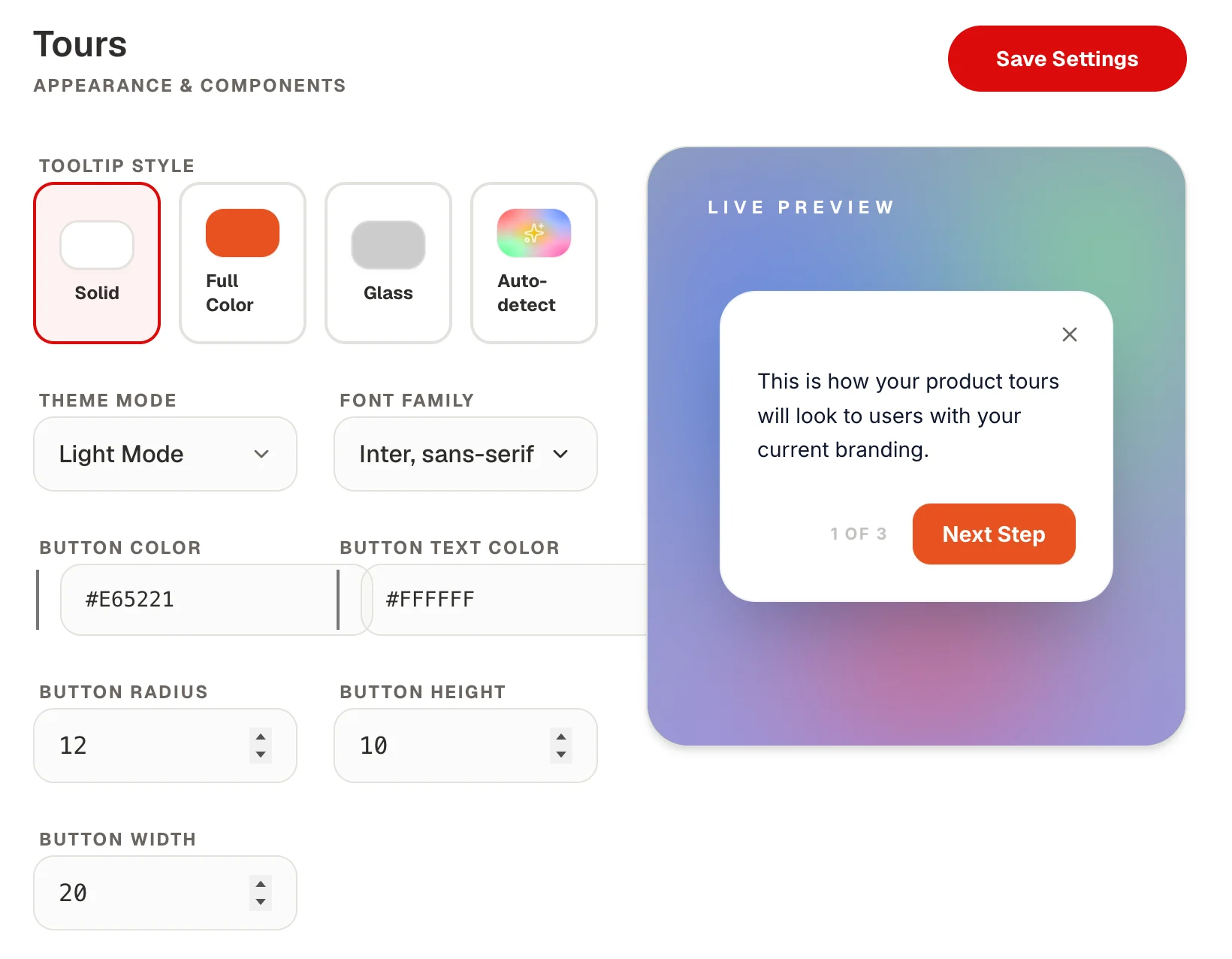
Tours shouldn't look like a plugin. Auto-detect reads your app's colour, font and corners and styles every tooltip to match. Or give them a premium look: frosted glass, full colour or solid, in light or dark mode.
Review and publish
This is GuideMark's own tour panel, the one you see while creating a tour. The AI fills it in. You read it through, change what you like and save.
AI draft
Open your dashboard in AI mode. GuideMark picks up to six steps in reading order, AI writes each one, and you tweak a line before turning the tour on.
Feature launch
A pulsing beacon marks what's new, and its tip opens only when someone interacts with it, so nobody gets interrupted.
Support replies
Every tour has a link. Put it in a support reply or your docs, and the tour starts as soon as the page opens.
Three tours drawn the way users see them. Starting points to adapt, not templates to copy.
FAQ
Install the script, click through your app, and turn the tour on.